Wallet
A prepaid card
your agent carries
Your AI agent creates a digital wallet that you control — like a prepaid card it never loses. Add money with Apple Pay or a debit card, and your agent handles every order from there.

Secured by Coinbase
Today your wallet is powered by Coinbase — the same infrastructure that safeguards billions in customer assets. Every transaction is recorded on the blockchain, so you, the restaurant, and FoodCourts can all verify the same transparent record. More wallet providers are coming soon.
- Works across all AI agents — Claude Code, Cursor, Copilot, and more
- Set up once — survives restarts, use it forever
- Always asks first — your agent confirms every order before paying
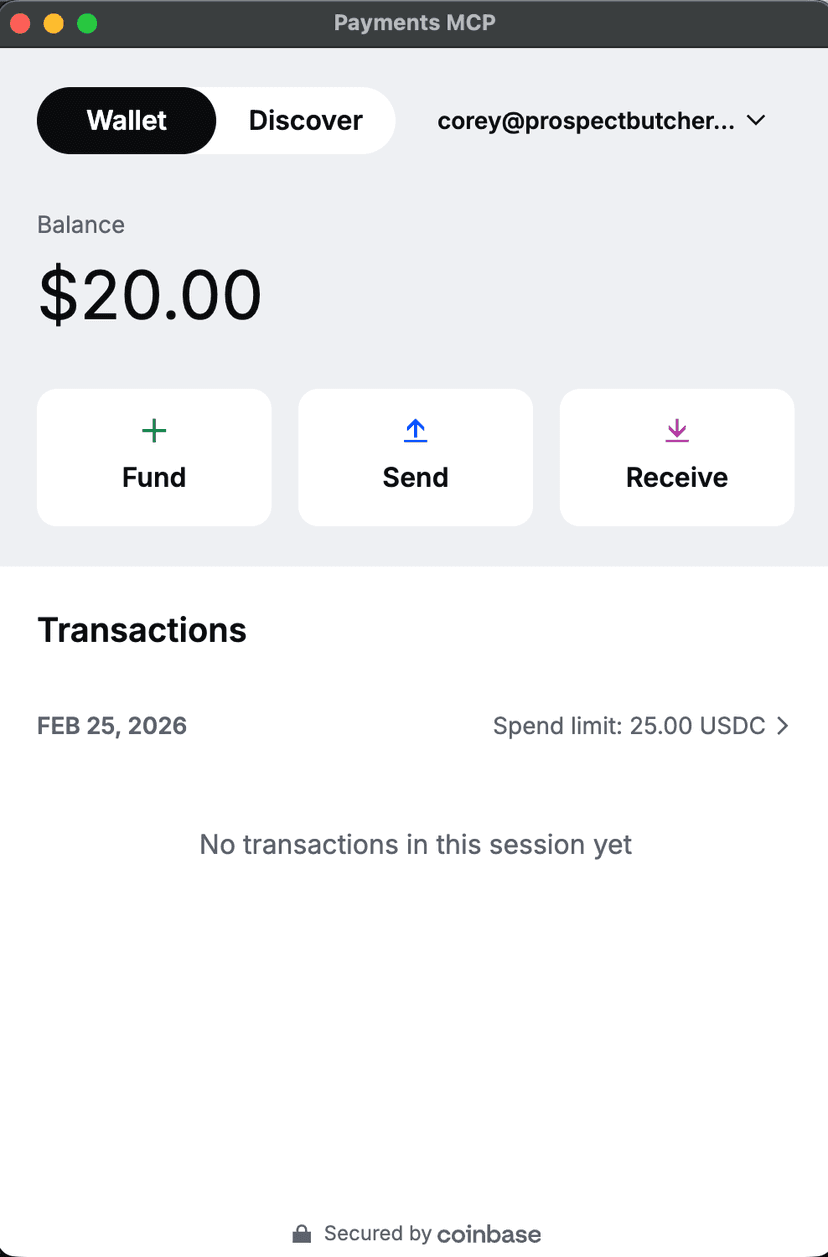
Four taps and you're funded

Your AI agent opens the wallet app
Your agent opens a wallet app on your computer. You'll see your balance and three buttons: Fund, Send, and Receive.

Click the “Fund” button
Click Fund to add money. You'll see options for how much to add.

Choose your amount and payment method
Pick an amount ($10, $20, $50, or custom) and your preferred payment method — Apple Pay, debit card, bank transfer, or a Coinbase account.

Done! Funds appear in your wallet
Funds appear within seconds for card or Apple Pay, or 1–3 days for bank transfers. Your agent will confirm when the money arrives.
Look for the Secured by Coinbase badge at the bottom of the wallet — that's your proof.
A dollar is a dollar
Your wallet holds USDC — digital dollars worth exactly $1 each. Issued by Circle, a regulated US financial company, and backed 1:1 by real US dollars in reserve. Not crypto that swings. Just dollars that move faster.
Instant Payments
Transactions settle in seconds
No card processing fees
Your agent doesn't pay credit card surcharges
Works 24/7
No banking hours or delays
Zero gas fees
Coinbase covers network fees on Base
This isn't speculative crypto.
USDC is pegged 1:1 to the US dollar. Your $20 stays $20.
You set the rules
Two spending limits your agent can never exceed:
- 1
Total session spending limit
The maximum your agent can spend in one session
- 2
Max spend per order
The maximum your agent can spend on a single order
Both default to $5 for safety. We recommend $30 per-transaction and $50 per-session for food orders.
Only you can change these limits. Your agent never can.
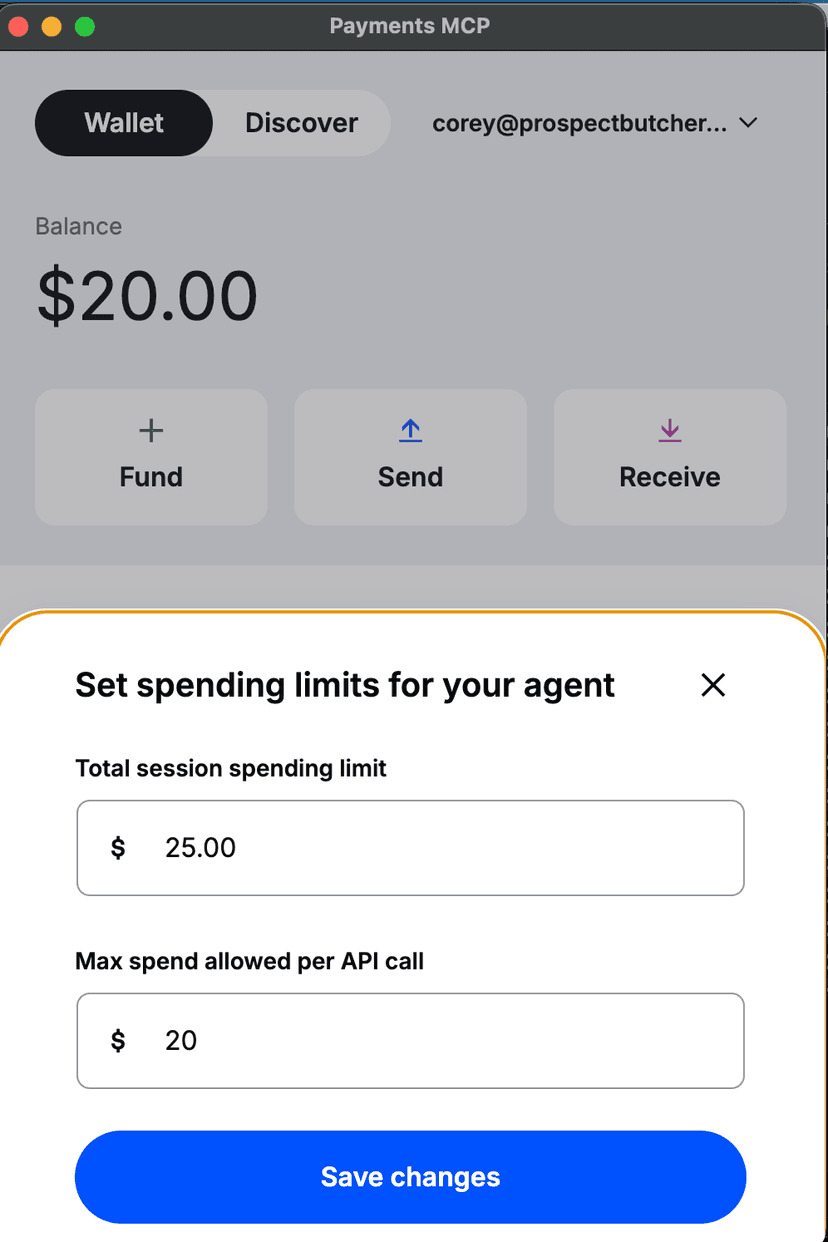
Your money, your control
Check balance anytime
Just ask your agent how much is in your wallet.
Your wallet, your keys
You can send your balance to any crypto wallet at any time — FoodCourts can never lock your funds.
We never touch your funds
FoodCourts.ai has zero access to your wallet.
Quick answers
Why not just use a credit card?
AI agents can't swipe a card. A digital wallet lets your agent pay instantly with no card processing fees — and every transaction is on a transparent public ledger, so you always have a receipt.
Do I need a Coinbase account?
No. Fund with Apple Pay, debit card, or bank transfer directly. A Coinbase account is optional.
How much should I add?
$25–50 covers a few food orders. A typical sandwich is ~$15–20 with tax and fees.
What if I want my money back?
You can send your USDC balance to any crypto wallet at any time. From there you can convert back to dollars through Coinbase or any exchange. FoodCourts can never lock your funds.
The best part of your day just happens
Tell your AI to order
Read the agent skill document at api.foodcourts.ai/.well-known/agent-skill and follow the instructions. Help me set up a wallet if I don't have one, then help me order from Prospect Butcher Co.
Your AI handles the rest — wallet, payments, ordering. You just eat.